반응형
https://huggingface.co/Qwen/Qwen2.5-VL-32B-Instruct
Qwen/Qwen2.5-VL-32B-Instruct · Hugging Face
Qwen2.5-VL-32B-Instruct Latest Updates: In addition to the original formula, we have further enhanced Qwen2.5-VL-32B's mathematical and problem-solving abilities through reinforcement learning. This has also significantly improved the model's subjective us
huggingface.co
전 글의 Qwen2.5-VL-32B 모델로 OCR 해보기에 이어서 이전에 Gemma3로 했던 image-to-text를 해봤습니다.
- Qwen2.5-VL-32B 사용 예시
# 최신 transformers 설치
pip install git+https://github.com/huggingface/transformers accelerate

# It's highly recommanded to use `[decord]` feature for faster video loading.
pip install qwen-vl-utils[decord]==0.0.8
from transformers import Qwen2_5_VLForConditionalGeneration, AutoTokenizer, AutoProcessor
from qwen_vl_utils import process_vision_info
# default: Load the model on the available device(s)
model = Qwen2_5_VLForConditionalGeneration.from_pretrained(
"Qwen/Qwen2.5-VL-32B-Instruct", torch_dtype="auto", device_map="auto"
)
# We recommend enabling flash_attention_2 for better acceleration and memory saving, especially in multi-image and video scenarios.
# model = Qwen2_5_VLForConditionalGeneration.from_pretrained(
# "Qwen/Qwen2.5-VL-32B-Instruct",
# torch_dtype=torch.bfloat16,
# attn_implementation="flash_attention_2",
# device_map="auto",
# )
# default processer
processor = AutoProcessor.from_pretrained("Qwen/Qwen2.5-VL-32B-Instruct")
# The default range for the number of visual tokens per image in the model is 4-16384.
# You can set min_pixels and max_pixels according to your needs, such as a token range of 256-1280, to balance performance and cost.
# min_pixels = 256*28*28
# max_pixels = 1280*28*28
# processor = AutoProcessor.from_pretrained("Qwen/Qwen2.5-VL-32B-Instruct", min_pixels=min_pixels, max_pixels=max_pixels)
messages = [
{
"role": "user",
"content": [
{
"type": "image",
"image": "https://huggingface.co/datasets/huggingface/documentation-images/resolve/0052a70beed5bf71b92610a43a52df6d286cd5f3/diffusers/rabbit.jpg",
},
{"type": "text", "text": "이미지에 대해 자세히 설명해줘"},
],
}
]
# Preparation for inference
text = processor.apply_chat_template(
messages, tokenize=False, add_generation_prompt=True
)
image_inputs, video_inputs = process_vision_info(messages)
inputs = processor(
text=[text],
images=image_inputs,
videos=video_inputs,
padding=True,
return_tensors="pt",
)
inputs = inputs.to("cuda")
# Inference: Generation of the output
generated_ids = model.generate(**inputs, max_new_tokens=1000)
generated_ids_trimmed = [
out_ids[len(in_ids) :] for in_ids, out_ids in zip(inputs.input_ids, generated_ids)
]
output_text = processor.batch_decode(
generated_ids_trimmed, skip_special_tokens=True, clean_up_tokenization_spaces=False
)
print(output_text)
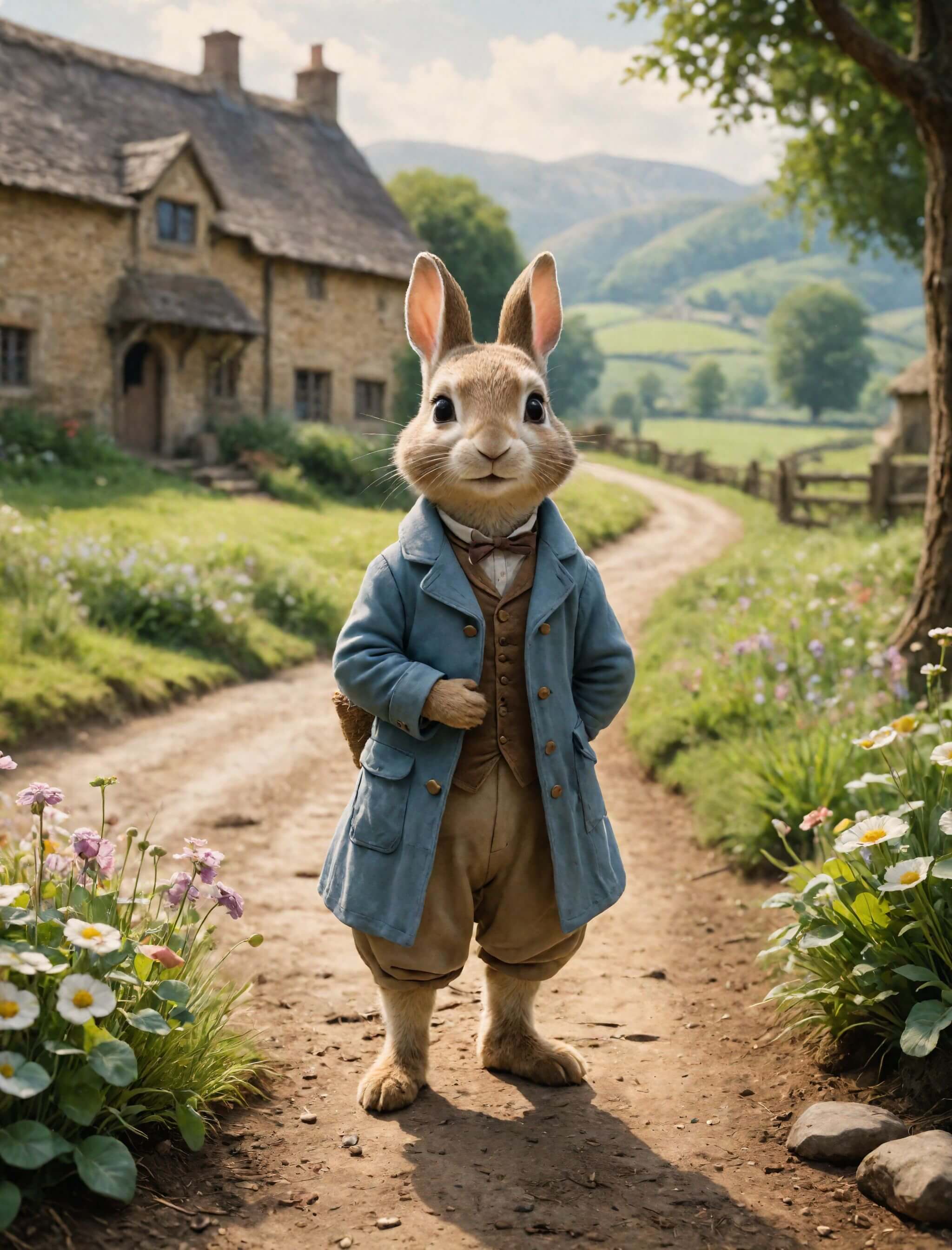
Gemma3 때와 비교를 위해 같은 rabbit 이미지 받았고요.
- Qwen2.5-VL-32B 답변

- Gemma3-27B 답변

같은 명령과 max_tokens(1000)를 사용하였는데 Qwen2.5가 훨씬 상세하네요.
Image-to-text 기능도 매우 잘 해냄을 확인했습니다.
반응형
'AI > LLM' 카테고리의 다른 글
| QWQ vs Llama3.3 Ollama 기반 Agentic RAG 해보기 (0) | 2025.04.09 |
|---|---|
| PyMuPDF4LLM vs PyMuPDFLoader(PDF loader 비교) (0) | 2025.04.04 |
| Qwen2.5-VL-32B 모델로 OCR, 질문 답 해보기(LLM OCR) (0) | 2025.04.02 |
| Gemma3로 image to text(이미지로 텍스트 생성) 해보기 (0) | 2025.04.02 |
| SmolDocling으로 OCR 하는 방법 및 후기(PyMuPDFLoader markdown 비교) (1) | 2025.04.01 |